
Custom time tracking and timesheet approval
Custom time tracking helps when a planner needs to check the hours on a job sheet before you can invoice the customer. We build systems from €1,900 excl. VAT, with €49 per month for ongoing maintenance. You decide who can record time, who settles disputed entries and which hours go to your accounts team.
Updated
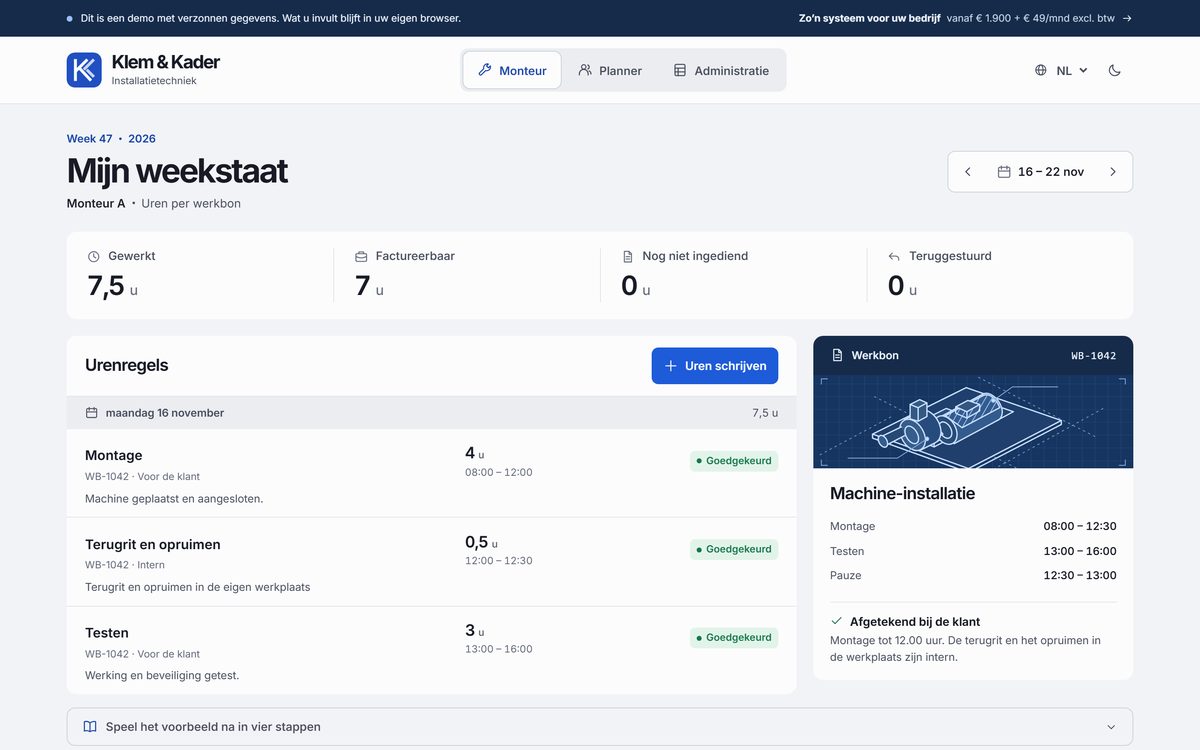
Time tracking demo: a technician’s timesheet with 7.5 hours worked, 7 billable and three approved entries, with made-up data
Recording time against each task
Suppose a technician installs a machine in the morning and tests it in the afternoon. The job sheet shows 4.5 hours for installation and 3 hours for testing, all for the same customer. The planner knows what the customer agreed to. At the end of the week, the accounts team needs the hours for each job.
Give each entry a work date, a project and a task. Even if the technician visited several sites that week, you can find the afternoon spent testing the machine. If you record start and finish times, enter breaks separately. In this example, the break between the two tasks is excluded from the hours worked.
Why 7.5 hours worked means 7 billable hours
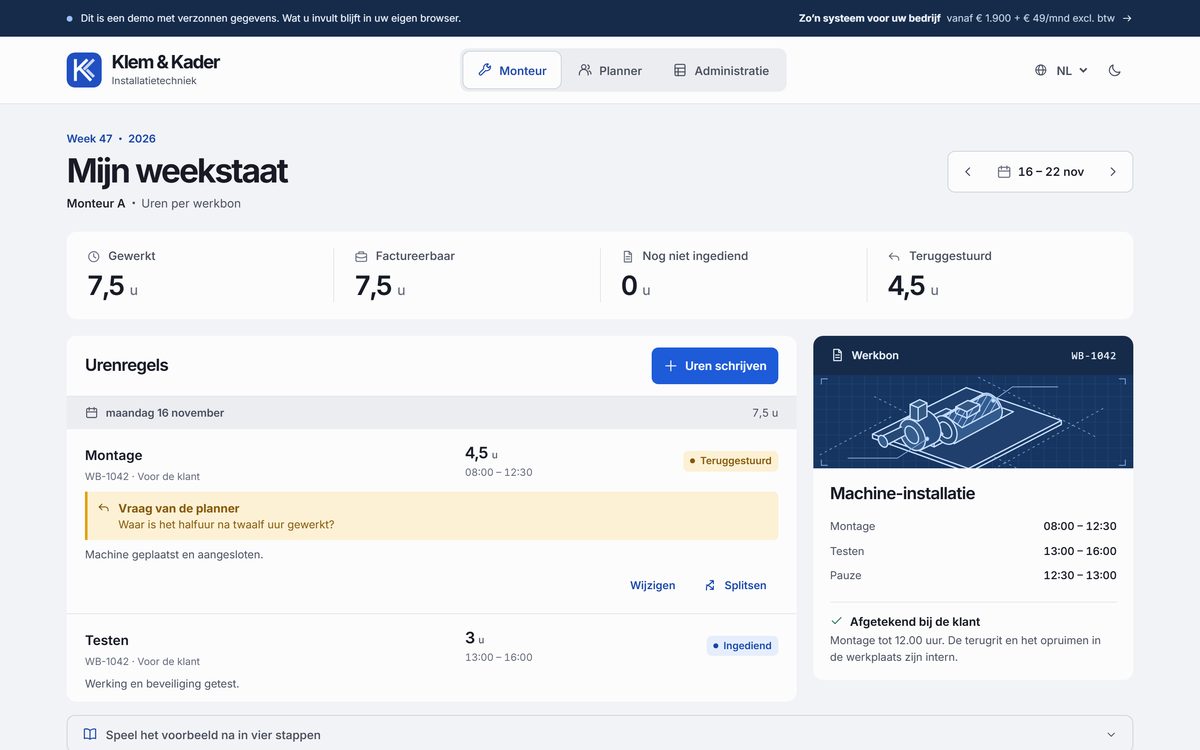
The customer queries the 4.5 hours for installation. The signed job sheet shows that the technician left the site at noon. Together they check how to record the last half-hour.
| Task | Original entry | After checking |
|---|---|---|
| Installation on site | 4.5 billable hours | 08:00 to 12:00, 4 billable hours |
| Return journey and tidying up at the workshop | Included in installation | 12:00 to 12:30, 30 minutes of internal time |
| Testing on site | 3 billable hours | 13:00 to 16:00, 3 billable hours |
The technician makes the correction and the planner approves it
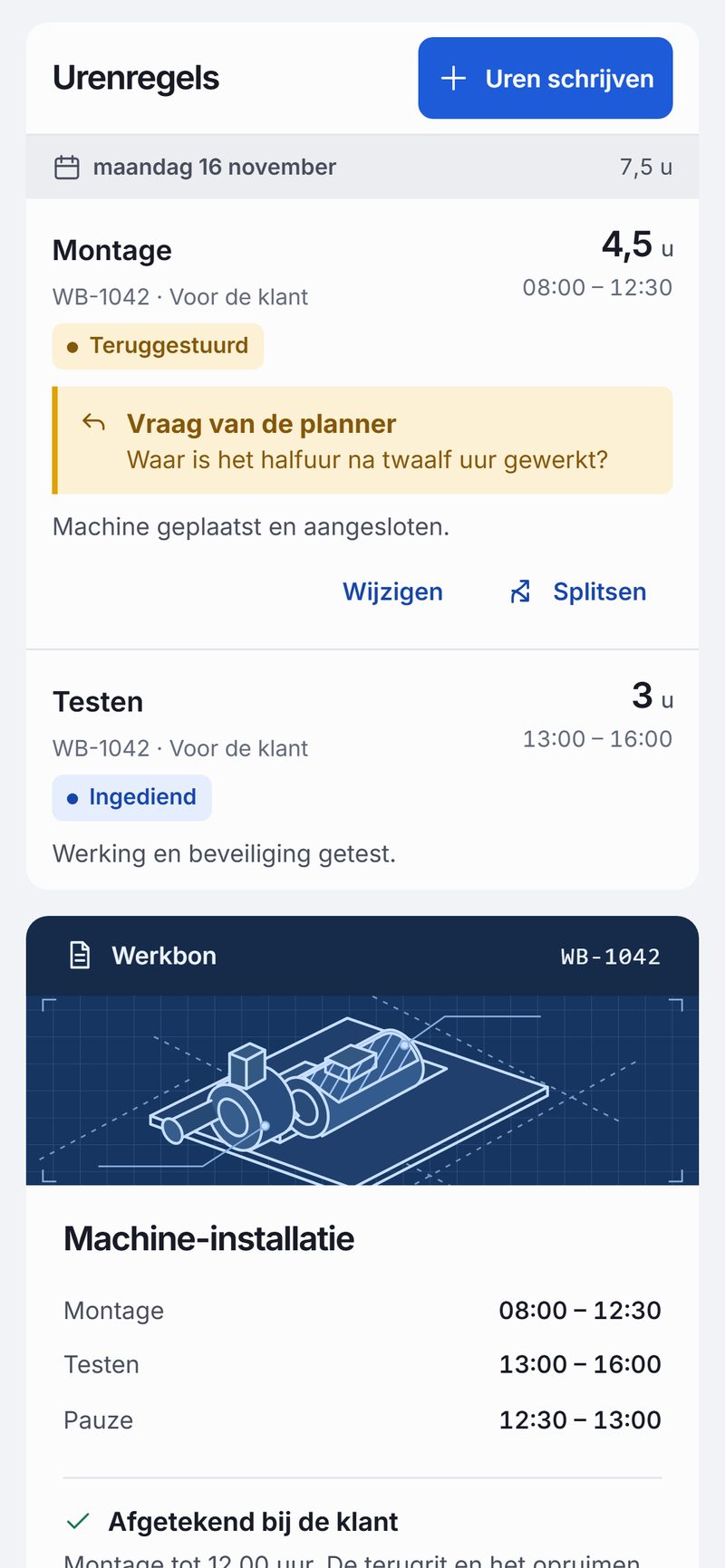
The planner sends the installation entry back and asks where the technician spent the half-hour after noon. The technician splits the entry and describes the work on the internal line. Simply deleting the half-hour would give the customer the right invoice but leave the technician short on the weekly timesheet.
In this arrangement the technician can submit a correction. Only the planner can approve the hours. The planner checks the correction against the job sheet and releases the customer entries for invoicing. Before the build starts, name someone to decide when the planner is away. That way, when Friday afternoon comes, accounts can bill the approved hours without having to judge work they didn't see.
The planner asks where the last half hour of the installation work was spent, wi
Exporting approved hours for invoicing
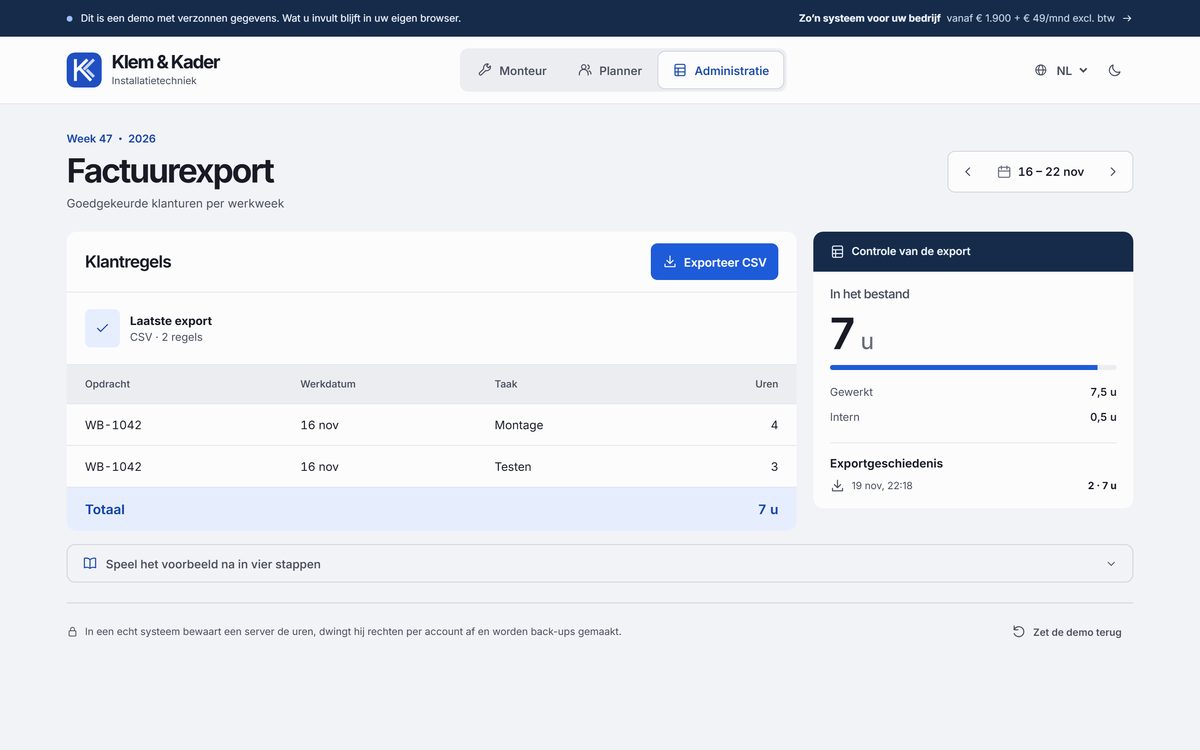
The invoicing file for this job should contain two entries. Both carry the job number and work date. Each has its own task and number of hours. The internal entry stays on the weekly timesheet. Check the next export too. Each approved entry should appear on a customer invoice only once.
Agree who imports the file and how they mark entries that have already been used. If an overcharge comes to light after the invoice has gone out, a credit note can record the correction.
Want to try the example yourself? In the time tracking demo, you record the hours on the job sheet, send one entry back as the planner and create the file for invoicing. The details in the demo are fictional.
The export contains four hours of installation and three hours of testing on the
Price
Pricing for custom time tracking
What the price from €1,900 includes
- One working system for a single process from start to finish, including screens, data and user roles
- We agree a fixed price for each phase in advance. We quote for the next phase before you commission it
- A preview link where you can follow progress from the first week
- An acceptance test using your own data
- A handover with an operating guide
What is not included
- A complete business platform in one go. We build it in phases, each with its own fixed price
- Licences for third-party systems
What €49 a month covers
Hosting in the European Union, daily backups with a test to check that the data can be restored, security updates, monitoring and help within one working day if a fault occurs.
What you pay in total
- First year
- from €2,488 one-off price plus twelve months, excl. VAT
- Each following year
- €588 twelve months, excl. VAT
The first-year total uses the starting price. When you enquire, tell us whether the first phase should finish with approved hours or an export file for invoicing. If you need to send hours to another system automatically, ask for a separate integration quote. See our prices for business systems.
Always
- We agree a fixed price upfront. The price in our proposal stays the same as long as the scope stays the same
- You can follow progress at a preview link while we build
- At delivery you receive a handover pack with everything covered by your project, in your name
- Half when you accept the proposal, half on delivery
HyperHTML works for businesses and organisations only. All prices exclude VAT; for businesses in the Netherlands we add 21% Dutch VAT.
Testing the first version with your own job sheet
Bring a timesheet and the agreement with the customer
Choose an anonymised example with a tricky distinction. Travel might count as working time for the employee on every job but be billable only on certain projects. Tell us who decides and which columns you need for invoicing.
Agree who signs off the time
Decide whether the planner approves each task or the whole job sheet, and what needs reviewing again after a correction. We agree the scope of the software with you and record those decisions in the proposal. If you also want to schedule future work, describe that separately. Scheduling deals with the hours you still have available.
Repeat the correction on the test site
Ask the employee to amend the disputed entry and then try to approve it while signed in as the same person. Under the agreed rules, only the planner should be able to do that. Compare the weekly total with the total for the customer. The internal entry should account for the difference.
Questions
Questions about time entries before you invoice
When is a spreadsheet enough to track my time?
If you're self-employed and check your own hours, start with a spreadsheet. Record the project, date and duration for each task. A custom system becomes useful when people are waiting for someone else's approval or when it's hard to see which version of an entry has already been invoiced.
How do I split a working week across two months?
Use the date the work took place. If the new month starts on Thursday, allocate Monday to Wednesday to the previous month and Thursday and Friday to the new one. For the invoice, select the approved customer hours within the agreed period.
How do I avoid errors with quarter-hours in the export?
Check which unit the receiving system expects. One hour and fifteen minutes is 75 minutes or 1.25 hours. Use that as a test entry and check the imported duration against the job sheet.
What happens to an entry the planner is still checking?
Set up the process so only approved entries can go on the invoice. Keep the disputed entry and the outstanding question visible to the employee and planner. Accounts can then check the remaining hours while the planner decides what to do with that entry.
Read next
- PricesSee the one-off cost of each service, any monthly fees and which services have a starting price.
- AI assistant for your team€900 excl. VAT
- Small business app developmentfrom €1,900 excl. VAT
- Offline web app developmentfrom €1,900 excl. VAT
- Custom web appsfrom €1,900 excl. VAT
- Corporate video production€850 excl. VAT
Request
Tell us what you need
You will hear back within one working day from Eloy Evers, who also builds it. Then you get a proposal with a fixed price.
Prefer email?
eloy@hyperhtml.nl