
Custom quote builder for your pricing rules
With custom quote builder software, you choose products or services from your own price list. For a one-off €900 excl. VAT plus €29 per month, you get a tool that applies your pricing tiers and discounts, then produces a PDF quote in your own layout.
Updated
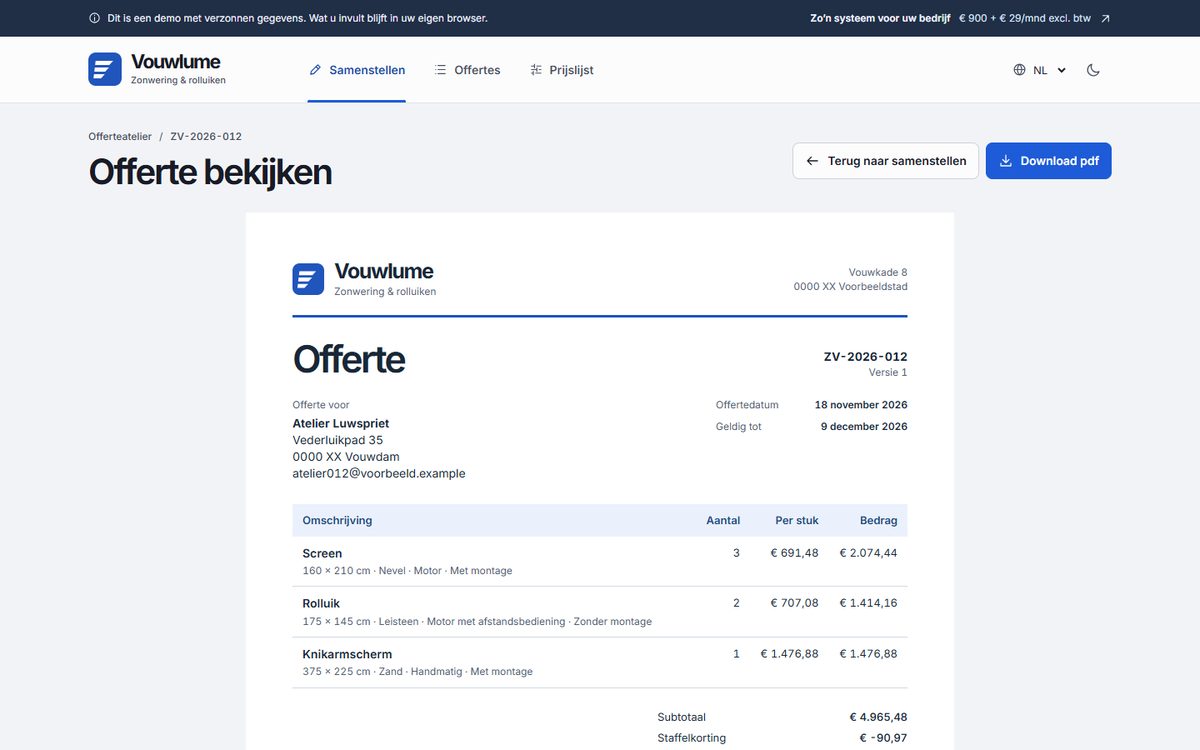
Quote tool demo: the quote preview, with made-up data
A worked example of a quantity discount
Imagine a design studio whose clients buy studio hours in advance. A client wants a poster adapted for ten shops. Each version takes two hours. For ten or more versions, the studio gives a 10% discount on the time spent adapting the poster. Preparing the artwork for print is billed in full.
| Quote item | Calculation | Hours charged to the client's balance |
|---|---|---|
| Poster versions | 10 versions × 2 hours | 20 hours before discount |
| Quantity discount on versions | 10% of 20 hours | Subtract 2 hours |
| Preparing the artwork for print | 1 job × 3 hours | Add 3 hours |
| Quote total | 20 − 2 + 3 | 21 studio hours |
From an expired quote to the final PDF
The first quote was for eight shops, so the calculation was 8 × 2 + 3 = 19 hours. The PDF said ‘Valid up to and including 10 June’. On 12 June the client asks for ten shops. The person preparing the new quote finds the original and checks which work and rates it covered.
They create a new quote for ten shops and keep the old PDF under its original quote number. When checking the draft, they spot that the quantity still says eight. They change it to ten and check the discount against the table above.
The final PDF says ‘Poster for ten shops’. It lists ten versions, a discount of two hours and three hours of print preparation. At the bottom the client sees ‘Total 21 studio hours’ and ‘Valid up to and including 24 June’. Check the quote number before sending it so the client can refer to the right version when they reply.
Building a quote from your own price list
Choose a past quote with an exception
Send us your price list, an example of your PDF layout and a past quote with the customer details removed. Mark a line where someone applied a discount by hand. Specify whether the discount applies to each unit, the whole line or the total.
Test either side of the discount threshold
Choose a quantity just below the threshold and another that qualifies. In the studio example, nine versions plus print preparation cost 21 hours. At ten versions the total is still 21 hours. You can decide whether that's what you want or change the rule before the build begins.
Check the PDF your customer will receive
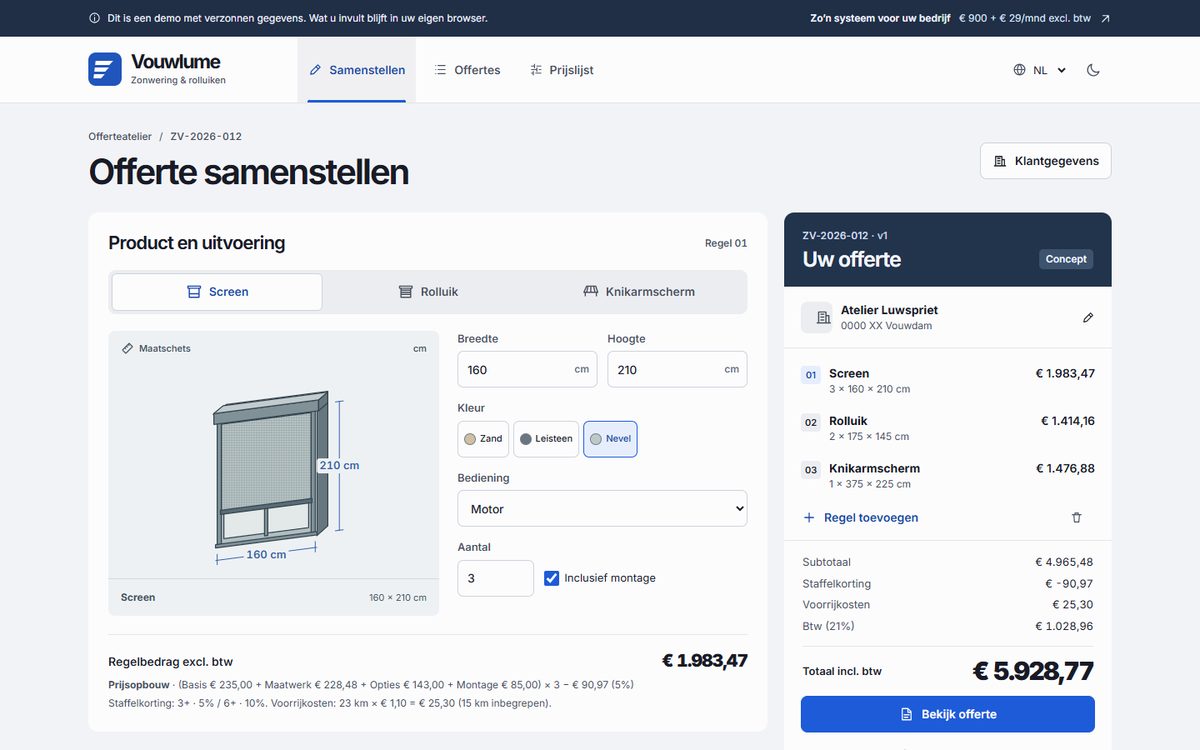
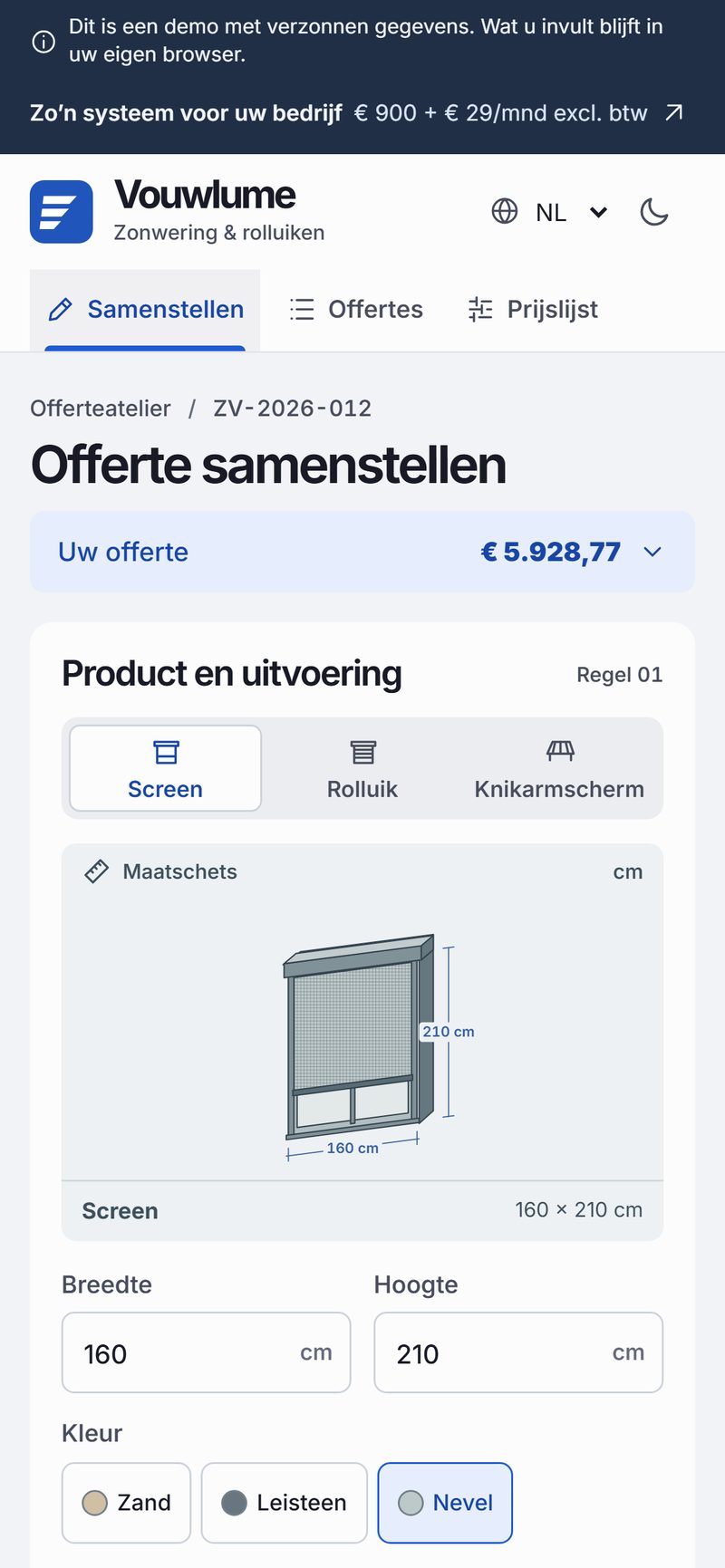
Recreate your old quote on the test site and put the two PDFs side by side. Check the line totals, discount wording and final amount. Change one quantity and check the new total. You can also try putting a quote together in the quote builder demo. Our guide to software acceptance criteria shows how to record the result you expect.
Configuring a quote on a phone in our working quote builder demo, with made-up d
Price
What your custom quote builder costs
Included for €900
- Build a quote from your own products and services
- One price list and your own pricing rules, such as volume pricing and discounts
- A PDF quote in your own layout
- An overview of the quotes you have sent and their status
- We check the calculations against quotes you have prepared before
What is not included
- Additional price lists for different customer groups
- Accepting or signing quotes electronically
- An integration with your CRM or accounting software (for a fixed price per integration)
What €29 a month covers
Hosting, a daily backup, security updates, monitoring and recovery in the event of a fault.
What you pay in total
- First year
- €1,248 one-off price plus twelve months, excl. VAT
- Each following year
- €348 twelve months, excl. VAT
Always
- We agree a fixed price upfront. The price in our proposal stays the same as long as the scope stays the same
- You can follow progress at a preview link while we build
- At delivery you receive a handover pack with everything covered by your project, in your name
- Half when you accept the proposal, half on delivery
HyperHTML works for businesses and organisations only. All prices exclude VAT; for businesses in the Netherlands we add 21% Dutch VAT.
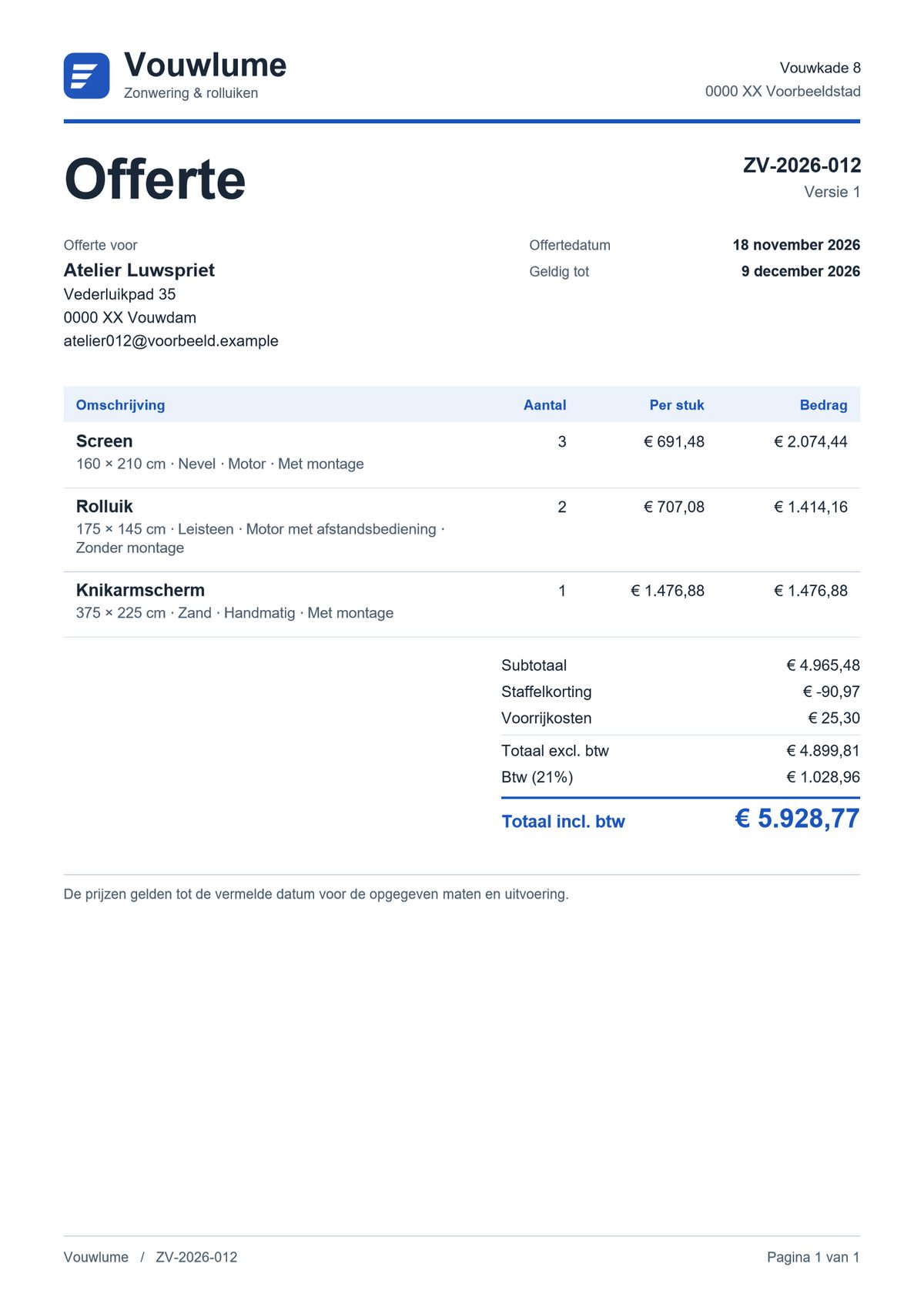
The first page of the PDF that the quote builder demo creates, with made-up data
Choosing between a quote builder, a form and a configurator
If you only send the occasional quote and the calculation fits on one line, try a simple quoting tool first. If all you need to know is how many shops a visitor has, an enquiry form can collect that number. You can then work out the price yourself.
Suppose your customer needs to choose parts that fit together, such as a door and its frame. A configurator helps with that choice. You can specify which combinations to allow when you commission custom software. A quote builder serves a different purpose. Your staff already know what they're offering and need to put the right price on the quote.
Questions
Questions about setting up your pricing rules
How does a quantity discount differ from a discount on the whole quote?
With a quantity discount, the price changes when the number ordered reaches a threshold. A discount on the quote total affects the other lines too. For each item, specify the threshold and whether the new price applies to every unit or only to the extra ones.
How do I set the expiry date for a quote?
Choose the last day your customer can accept the work at the quoted price and put that date in the PDF. If the customer asks for a change after that date, check your rates and quantities before sending a new quote.
Can I use a different price list for each customer?
The fixed price covers one price list with your calculation rules. Separate price lists for different customer groups are outside that scope. Pick the same item on two rate sheets and compare them. If one sheet consistently applies a fixed discount to the other, we can discuss that as a pricing rule. See our system prices.
Can customers accept a quote electronically in the tool?
The quote builder produces a PDF. Electronic acceptance and signatures fall outside the package. When sending the final version, agree with your customer how they should reply.
Read next
- PricesSee the one-off cost of each service, any monthly fees and which services have a starting price.
- AI assistant for your team€900 excl. VAT
- Small business app developmentfrom €1,900 excl. VAT
- Offline web app developmentfrom €1,900 excl. VAT
- Custom web appsfrom €1,900 excl. VAT
- Corporate video production€850 excl. VAT
Request
Tell us what you need
You will hear back within one working day from Eloy Evers, who also builds it. Then you get a proposal with a fixed price.
Prefer email?
eloy@hyperhtml.nl