
Custom booking system development
A custom booking system for your website costs €900 excl. VAT to build, plus €29 per month. Customers see times that leave enough room for the service they choose. If two people try to book the same slot at once, only one gets the appointment.
Updated
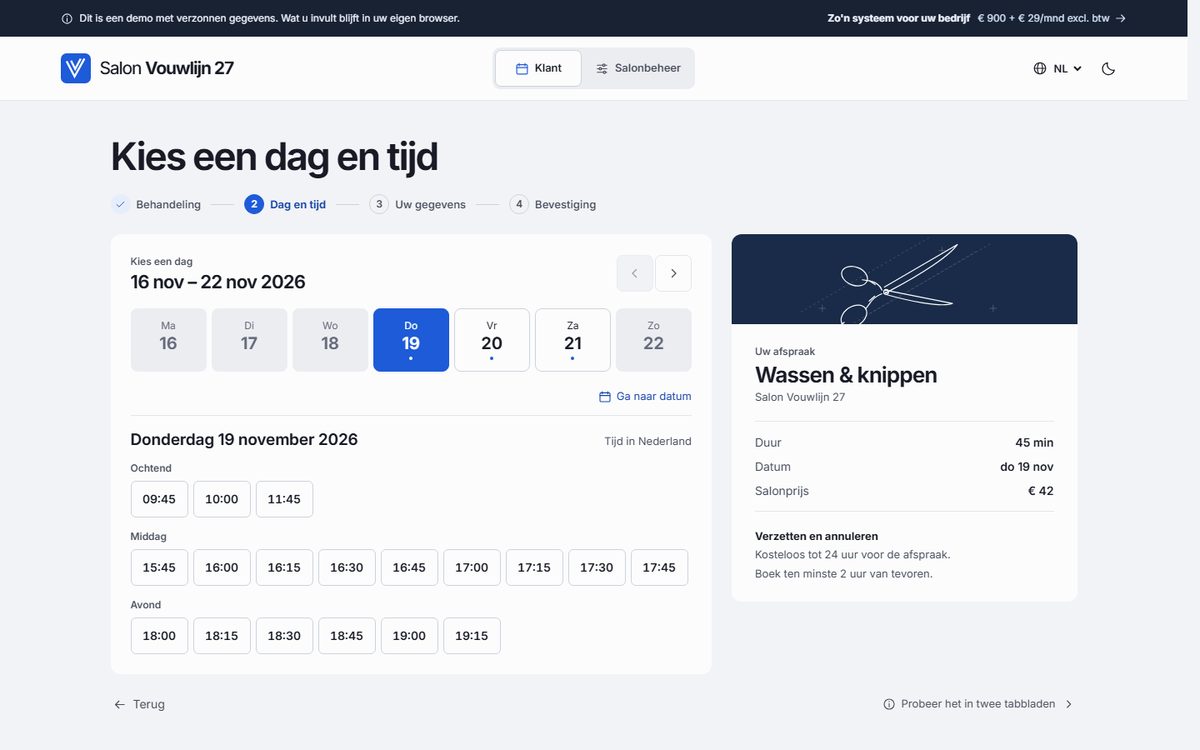
Booking demo: choosing a day and time, with made-up data
Finding a gap long enough for each appointment
Say you run a salon and work on your own on Tuesdays. A haircut takes 30 minutes and a colour appointment takes 90. With a colour appointment already booked for 10:00, you can still fit in a haircut at 09:30. The next opening long enough for another colour is 11:30. When setting the length of a treatment, include the time you need to clear up before the next customer.
Think about what happens when someone phones your salon, practice or workshop. If you can offer a time as soon as you see a gap in the diary, the customer can make that choice online. If you need to see a photo before you know how long the job will take, keep the initial phone call or use an enquiry form for that service.
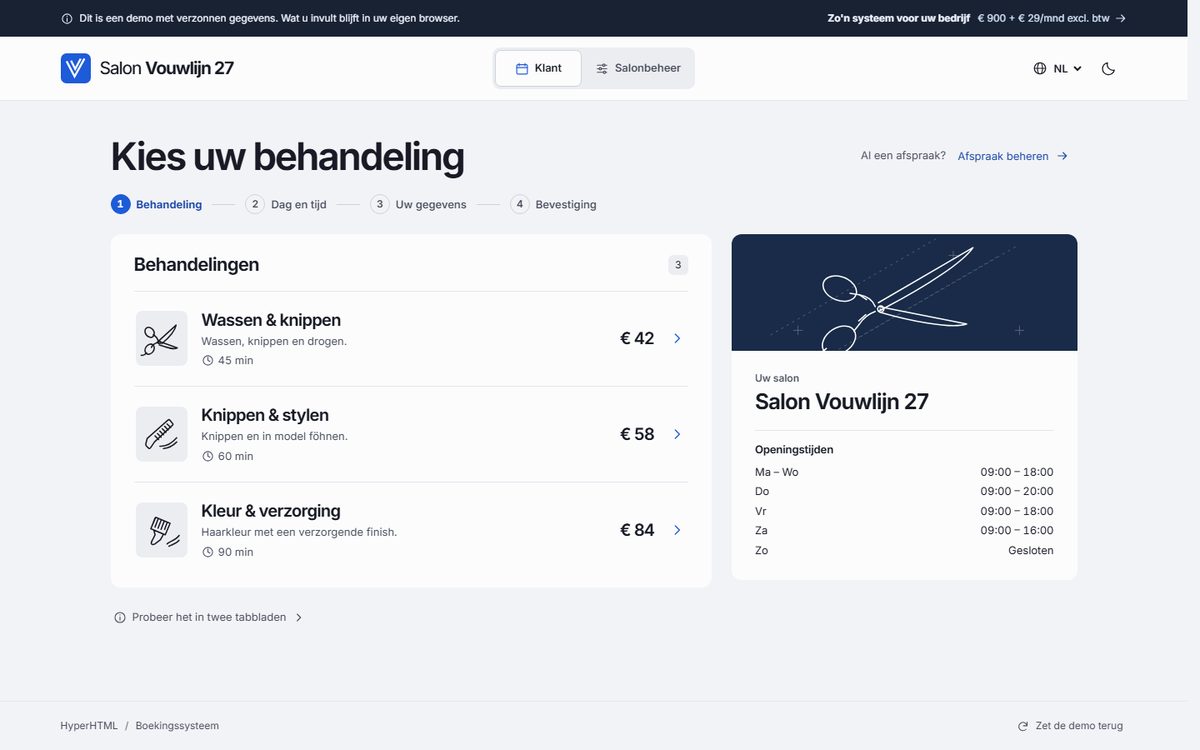
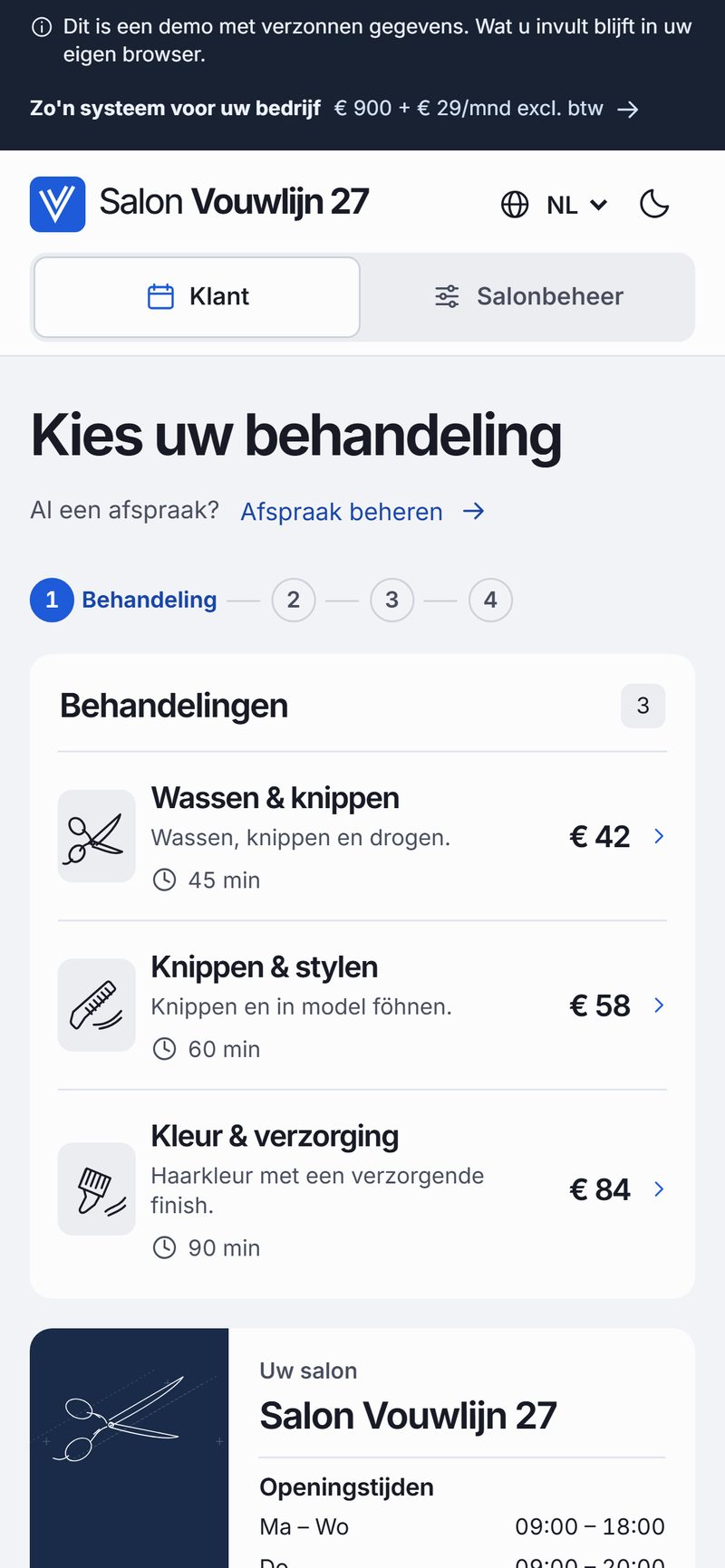
How a customer chooses a treatment on their phone in our working booking demo, w
What happens when two customers book the same chair
Open the test site on two phones and choose the same 09:30 haircut on both. Have the calendar app you use at work open as well.
| Action | What to check |
|---|---|
| Book at the same time | Confirm on both phones. Your calendar should show one appointment from 09:30 to 10:00. Only the customer who got the slot should receive a confirmation. |
| Move the haircut to 11:30 | Reschedule the haircut. The old slot should be free and the new one taken until 12:00. The 10:00 colour appointment should still be there. |
| Check the reminder | Leave the rescheduled appointment in place. The reminder email and your calendar for the day should both show 11:30. |
| Cancel before the cut-off | Cancel the haircut within the window you set. Check in your calendar app that the appointment has been cancelled. On the second phone, check that you can book 11:30 again. |
Online bookings and your existing calendar
The calendar integration lets you see online bookings in your usual calendar app. If you also use the app to enter home visits or appointments made by phone, check which way the information travels. Being able to see an online booking in your diary tells you nothing about whether a home visit blocks that time on the website. Agree where to record those appointments, then use the test site to see which times a customer can still select.
To explore the booking steps first, try the booking system demo. Then repeat the chair test on the test site with your own opening hours, and use it to agree what the system needs to do before you accept it.
Price
Booking system costs
Included for €900
- Online appointment booking on your own website
- One calendar with your services, their duration and your working hours
- No double bookings, even if two people book at the same time
- A confirmation and a reminder by email
- Customers can reschedule and cancel their appointments themselves, within the rules you set
- A daily and weekly overview, also available on your phone
- A calendar connection that shows appointments in your own calendar app
What is not included
- Text message reminders
- Payment at the time of booking
- Additional locations or an individual schedule for each member of staff (available as a fixed-price extension)
What €29 a month covers
Hosting, a daily backup, security updates, monitoring and recovery in the event of a fault.
What you pay in total
- First year
- €1,248 one-off price plus twelve months, excl. VAT
- Each following year
- €348 twelve months, excl. VAT
Always
- We agree a fixed price upfront. The price in our proposal stays the same as long as the scope stays the same
- You can follow progress at a preview link while we build
- At delivery you receive a handover pack with everything covered by your project, in your name
- Half when you accept the proposal, half on delivery
HyperHTML works for businesses and organisations only. All prices exclude VAT; for businesses in the Netherlands we add 21% Dutch VAT.
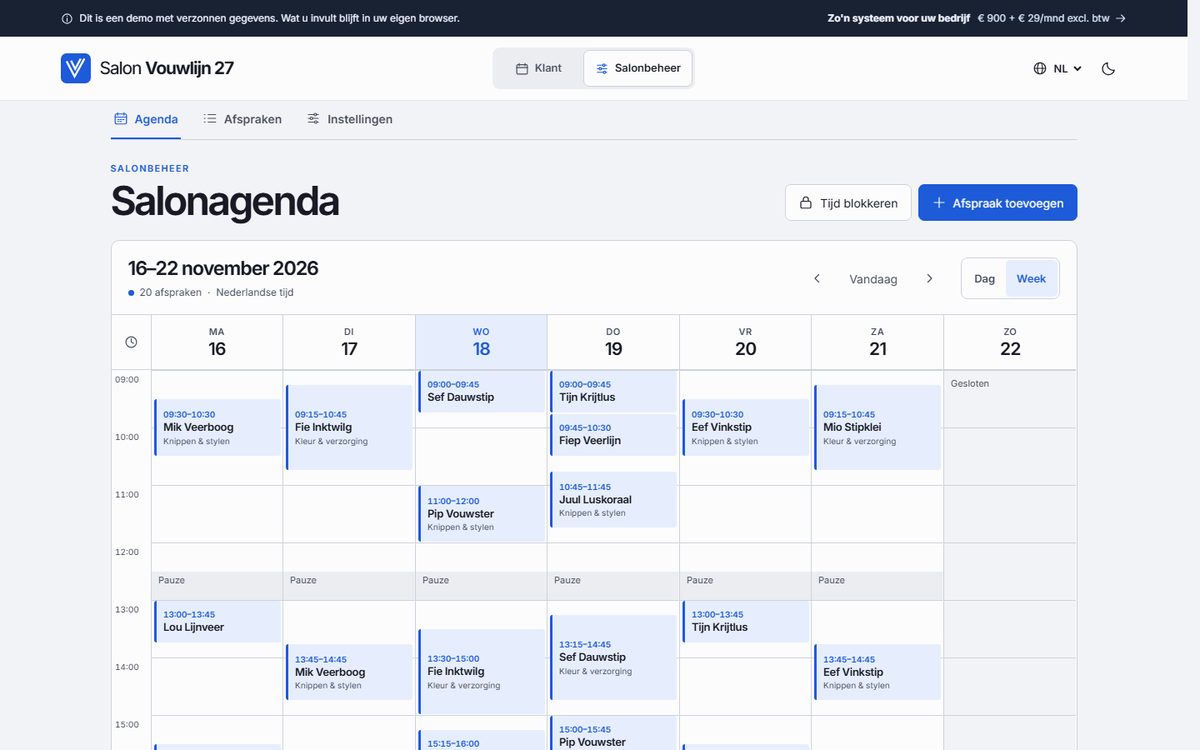
The weekly calendar in the booking demo shows a hair salon’s times and treatment
From your appointment book to your first online booking
Choose a typical working day
Send us your services and their duration, your working hours and a sample day with the customer names removed. Decide how close to an appointment customers can reschedule or cancel it themselves. Think about what you would do if someone wanted to change a booking that morning.
Set out how your diary works
Tell us which calendar you open when the phone rings. Can you use two chairs at once, or does everyone share a treatment room? Include that detail in your enquiry. Individual staff rotas or a second location need an extension to the system. You can compare prices for our business systems.
Check the day from both sides
On the test site, compare what a customer sees on their phone with what you see in your calendar. Pay particular attention to the last slot before lunch and the first free slot after a long treatment.
Questions
Questions before you open your diary to online bookings
Can I keep using my practice management software?
If it already has a booking page that tracks your availability, try the two-phone test there first. If you want it to exchange data with a new system, tell us which software you use and which way the information needs to travel. To connect the two systems, we need to know what data the software can send or receive.
Will a busier month increase my booking fee?
The prices shown on this page are fixed for the agreed setup. A fully booked month costs you the same as a quiet one.
Can customers pay a deposit when they book?
Taking payment during booking falls outside the scope of this version. If you need a deposit before you reserve a slot, mention it in your enquiry so you can check that the proposal reflects that order of events.
Which emails will my customers receive?
The confirmation gives the details of the booking the customer has just made. The reminder is for their upcoming appointment. When you test, use an email address you can open and compare both messages with the time you selected.
Read next
- PricesSee the one-off cost of each service, any monthly fees and which services have a starting price.
- AI assistant for your team€900 excl. VAT
- Small business app developmentfrom €1,900 excl. VAT
- Offline web app developmentfrom €1,900 excl. VAT
- Custom web appsfrom €1,900 excl. VAT
- Corporate video production€850 excl. VAT
Request
Tell us what you need
You will hear back within one working day from Eloy Evers, who also builds it. Then you get a proposal with a fixed price.
Prefer email?
eloy@hyperhtml.nl