
Pipedrive or a custom CRM for your sales process?
Pipedrive Lite fits a sales team that schedules its own calls. Growth adds automated follow-up emails. A custom CRM makes sense if you want to set the stages around the way you sell and pay the same monthly fee whether you have 5 or 15 users.
Updated
One quote in Pipedrive and a custom CRM
A shopfitter has measured up for a reception desk and sent the quote. Someone needs to call the buyer on Friday. Compare the deal stage, the next task and the information you can take with you if you switch. These determine whether a colleague can pick up the phone on Friday with the right details. HyperHTML supplies the custom CRM in this comparison.
| What to compare | Pipedrive | HyperHTML custom CRM |
|---|---|---|
| Sales stage | Move the deal to 'Quote sent'. Use the deal card to schedule the call. | Choose stages that match your work, such as 'Measured up', 'Quote sent' and 'Approved'. Record the call as a task. |
| Daily tasks and email | Lite covers the pipeline and activities you schedule yourself. Growth adds email sync and automated follow-ups. | The CRM includes tasks and reminders. If you want follow-up emails to go out from your mailbox automatically, ask for a separate quote for that work. |
| Annual price per user | On annual billing, Lite costs €14 a month, or €168 a year per user. Growth costs €39 a month, or €468 a year. | You pay for the whole business. In year one, allow €900 excl. VAT for the build and 12 months at €49 per month. From year two, only the monthly fee remains. |
| What increases the bill | Each additional paid seat adds to the bill. Moving from Lite to Growth also changes the rate per user. | Adding users leaves the monthly fee unchanged. An integration with your accounting software costs extra. |
| Control of your data | You retain the rights to your customer data. An administrator can export each type of record. Other users can only export what their access permissions allow. | Your business receives access to its own database and hosting, with instructions for whoever takes over maintenance. |
| What you can take when you leave | After cancellation, you retain access until the end of the paid period. Download and check the files before it ends. | Once you have paid in full, you receive the code and access to the database. You can ask another developer to maintain the system. |
Try Friday's call in both systems
The buyer wants to discuss the colour on Friday, after speaking to the landlord. The quote has already gone out, even though the colour is still undecided. Leave the deal at 'Quote sent' and give the salesperson a task for Friday: 'Discuss colour with buyer'.
In Pipedrive Lite, the salesperson can schedule the call and mark it as done afterwards. In Growth, you can set up a follow-up email to go out automatically. Decide when it should run. This buyer has already agreed to a call, so another message asking for a reply would be poorly timed.
For a custom CRM, describe what a colleague covering the call needs to see. On the test site, ask them to find the deal, read the last note and point out the next action. For each automated email you want, agree what triggers it and what should stop it from going out.
Three years with 5 or 15 users
Take two versions of the same business. In each, the team size and rates stay the same for three years. Multiply Pipedrive's annual licence price by the number of users and then by three. For both systems, count the cost of switching, extra features and your staff's time separately.
| Option | 5 users | 15 users |
|---|---|---|
| Pipedrive Lite | 5 × €168 × 3 = €2,520 | 15 × €168 × 3 = €7,560 |
| Pipedrive Growth | 5 × €468 × 3 = €7,020 | 15 × €468 × 3 = €21,060 |
| Custom CRM | €900 excl. VAT for the build plus 36 months at €49 per month. | The same build price and 36 monthly payments as for five users. |
From a Pipedrive export to the first working day
Try moving the reception desk quote before you cancel your subscription. On Friday, the person making the call needs to see who spoke to the buyer, what they promised and whose job it is to call back.
Export the deal and its history
Export deals, organisations and contacts. Keep their original IDs so you can tell two quotes for the same customer apart. Activities, notes and files each need a separate export. Ask an administrator to download the attachments and check that they open. The general export omits Google Drive files, so download those from Drive itself.
Find the completed visit and the open call
In the activities file, find both the site visit to measure the desk and the outstanding phone call. Check the call's owner, due date and linked deal. The note about the landlord belongs with that quote too. Pipedrive stores synced emails separately from activities. Check the mailbox for the original quote and the buyer's reply.
Hand Friday's list to a colleague
Ask the person covering the call to bring up their outstanding work in the new system. The visit belongs in the history. The call should appear once on Friday's list. Ask them to read the note and give you the quote number. Compare open tasks by day for every salesperson, then agree a time for everyone to start working exclusively in the new system.
Price
The custom CRM price and what it covers
Included for €900
- Contacts and companies with your own fields
- One sales pipeline with your own stages
- Tasks and reminders
- Notes and a timeline for each contact
- Search, filter and sort
- We import your existing customer list from one file
- You can export all your data at any time
- Unlimited users, with roles that determine what each person can see and change
- Two-step verification at login if you want it
- Your own name and colours, at a dedicated web address
- Easy to use on a phone
What is not included
- Integrations with other systems (for a fixed price per integration)
- Additional features such as quotes or time tracking (each available for an additional fixed price)
- Newsletter sending and phone features
- Helpdesk support outside working days
What €49 a month covers
Hosting in the European Union, daily backups with a test to check that the data can be restored, security updates, monitoring and help within one working day if a fault occurs. One fee covers all your users.
What you pay in total
- First year
- €1,488 one-off price plus twelve months, excl. VAT
- Each following year
- €588 twelve months, excl. VAT
Before switching, agree who will transfer activities and notes as well as the customer list, who will check the attachments and who will assign outstanding tasks to the right salesperson.
Always
- We agree a fixed price upfront. The price in our proposal stays the same as long as the scope stays the same
- You can follow progress at a preview link while we build
- At delivery you receive a handover pack with everything covered by your project, in your name
- Half when you accept the proposal, half on delivery
HyperHTML works for businesses and organisations only. All prices exclude VAT; for businesses in the Netherlands we add 21% Dutch VAT.
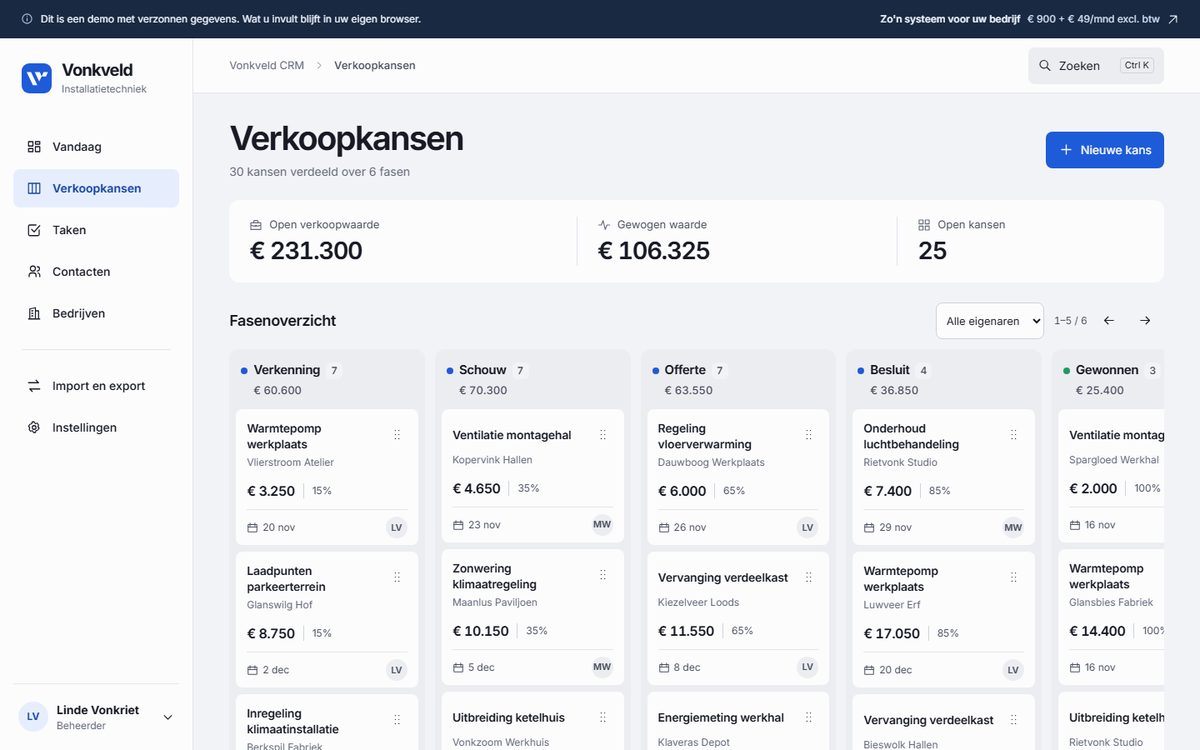
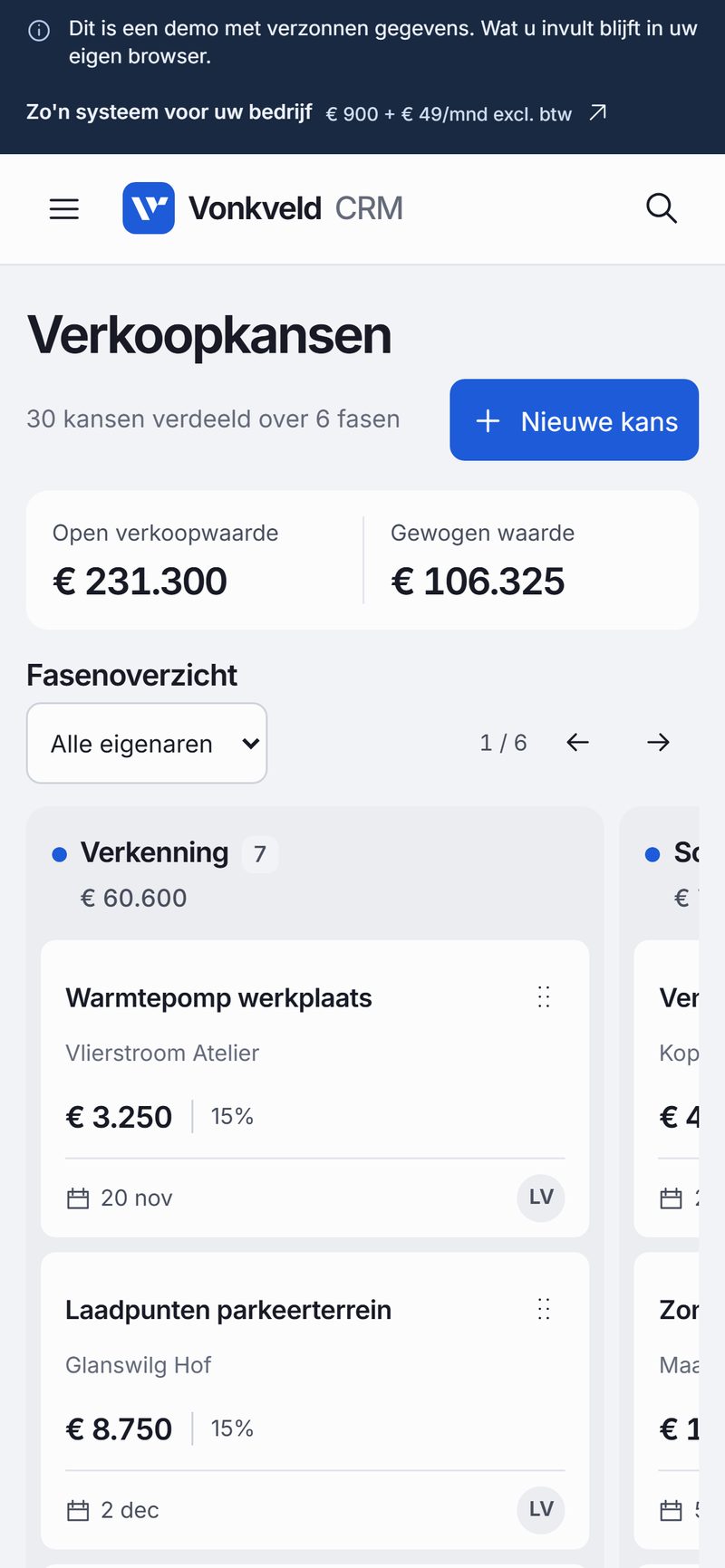
The sales pipeline in our own CRM demo on a phone, with made-up data.
Questions
Questions about staying or switching
When does it make sense to stay with Pipedrive?
If salespeople can find their calls, the mailbox works as they need and the follow-up rules already do the job, setting it all up again takes time. Compare the cost of staying with the cost of moving and checking your history. See what a CRM costs for the items to include on each side.
Is there a free alternative for two people?
Salesforce Free Suite allows up to two users and stays free if you log in at least once every 60 days. The teams of five and 15 in our example would need a paid edition. Pipedrive offers a 14-day free trial.
How do I stop a customer receiving two reminders after the switch?
For each open quote, choose which system will send the next email. Pause the old rule before turning on the new one. Send a quote to a test contact, take the agreed next step and check the email received and the open task. Repeat the test with a quote the buyer has already replied to.
Sources
- CRM-abonnementen en prijzen bij jaarlijkse facturering (in Dutch). Pipedrive, accessed 19 November 2026.
- Pipeline view: manage deals lifecycle. Pipedrive, accessed 19 November 2026.
- Activities. Pipedrive, accessed 19 November 2026.
- Send emails with automations. Pipedrive, accessed 19 November 2026.
- Exporting data from Pipedrive. Pipedrive, accessed 19 November 2026.
- Why don’t my emails show up as activities?. Pipedrive, accessed 19 November 2026.
- How can I cancel my paid Pipedrive account?. Pipedrive, accessed 19 November 2026.
- Terms of Service, section 7.1. Pipedrive, accessed 19 November 2026.
- Free CRM. Salesforce, accessed 19 November 2026.
Read next
- ComparisonsCompare platforms, custom builds and pricing models against the same business task. Choose a comparison for a CRM, website, online shop or business app.
- PWAs vs native appsCompare a browser form, a PWA and a native app for fieldwork. Test whether a job sheet and meter photo saved offline reach the right job at the office.
- Custom CRM vs HubSpotCompare HubSpot and a custom CRM for 5 or 15 salespeople. Work out three years of costs and test whether a call note and a follow-up task survive a move.
- Shopify vs a custom shopCompare Shopify Basic and a custom online shop for 100 Dutch iDEAL orders a month. See how your payment provider changes the three-year cost.
- WordPress vs a custom websiteCompare WordPress and a custom website by changing one collection time across two pages and asking another developer to restore the site from its files.
- Comparing software pricing modelsCompare a fixed quote with time and materials for the same development task. See how a change request affects the price, risk and acceptance criteria.
Request
Tell us what you need
You will hear back within one working day from Eloy Evers, who also builds it. Then you get a proposal with a fixed price.
Prefer email?
eloy@hyperhtml.nl